Home > Products
Any Audio Converter Freeware
Any Audio Converter is a versatile audio converter and audio extractor with user-friendly interface and powerful functions. As an audio converter, Any Audio Converter can convert audio between MP3, WMA, WAVE, AAC, M4A and OGG formats as well as convert other unprotected audio formats. As an audio extractor, Any Audio Converter can extract audio from all popular video formats and online videos from YouTube, Google Video and Nico Video.
With this freeware, you can easily convert your audio files to MP3, WMA, WAV such as M4A to MP3, APE to MP3, RA to WMA, FLAC to WAV, etc. You can also extract audio from video clips such as AVI to MP3, MP4 to MP3, WMV to WMA, RMVB to MP3.
Click here to learn more about this free audio converter, and click here to check the screenshots of the program. Any questions regarding to Any Audio Converter, please refer to the FAQs page.
Any Audio Converter is completely free of charge. Click the Download button below to try Any Audio Converter.
Key Features
Support various video and audio formats
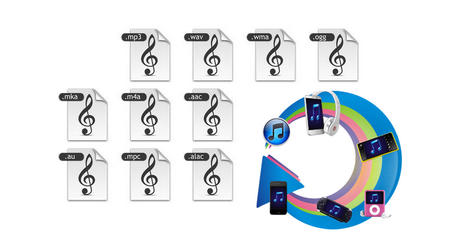
This free audio converter can convert between almost all popular audio and video formats including AVI, MPEG, WMV, MOV, MP4, RM, RMVB, ASF, FLV, MP3, M4A, WMA, WAV, FLAC, OGG, AU, MP2, and AC3 formats. Convert FLV videos from YouTube, Google, and NFLV to MP3.
If you are looking for Audio Converter to legally strip DRM from protected M4P, M4B and AA files, you may need Noteburner.
Powerful editing, lyric adding and tag editing function
Allow you to adjust audio codec, bitrate, sample rate, audio channel, audio track, audio volume, aac parameters, audio quality, cut mp3 music files etc.
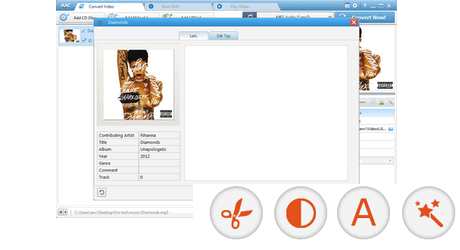
Any Audio Converter also features as a Tag Editor, which allows users to edit tag information such as title, contributing artist, genre, album, year, track and commen to your favorite songs or other audio files. What's more, you can also add lyric to song by typing or pasting the lyrics manually.
Free Audio Extractor
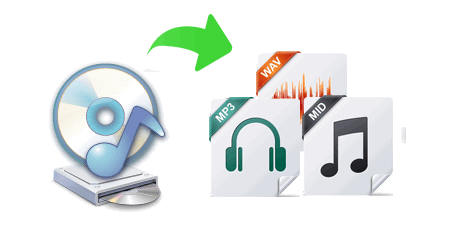
Any Audio Converter is a totally free audio extractor, which provides you a handy tool to extract audio, sound or background music from videos. With the free audio extractor, you can easily extract audio tracks from AVI, MPEG, MPG, FLV (Flash Video), DAT, WMV, MOV, MP4, 3GP video files and save them as MP3, WAV and AC3 formats. Extract audio from only a portion of the video clip is available.
Free Online Video Downloader
The Any Audio Converter is really a powerful Online Video Downloader and Converter. It can batch download videos from website, such as YouTube and then convert them to MP3, AAC, WAV, WMA and other audio files at super speed and high output audio quality.
You can also easily download videos from YouTube/NicoVideo/Facebook/Vevo /Break/LiveLeak etc. to audio for free with this free audio converter freeware.
You can also switch among Manully Select, Best Quality, and Smallest File Size to download.
Clip Audio Segments
You can clip the source video file to get the part you need to convert to audio, so you are able to make your own ringtone or other needed music clips. The Free Audio Converter allows you to adjust audio codec, audio bitrate, sample rate, audio channel, audio track, audio volume, aac parameters, audio quality and choose the converting start and stop time.
Batch conversion
Convert multiple video and audio files in batch to MP3 Audio, OGG Vorbis Audio, WAVE Audio, AAC Audio, MPEG-4 Audio, and WMA Audio.
Auto shutdown computer
Automatically shut down your computer after conversion.
Easy to use
The program is extremely simply to use with the ability to drag and drop files right onto the interface. Any Audio Converter also includes a media player, so you can preview the video files from the program itself.
With Any Audio Converter, you can easily convert your video and audio files to MP3, OGG, WAV, AAC, M4A, WMA, AIFF, APE, FLAC, AC3, AU and etc. within three steps:
Step One: Add audio and video files
After you run the program, click the "Add Files" button to select audios and videos from your hard drive. You can extract audio from YouTube, Google Video and NicoVideo by pasting the URL links of the online videos or clicking the Download button. After files are added you can trim any part of any file in the Previewing and Trimming Window according to your need.

Step Two: Choose output profile and set output settings
MP3, OGG, WAV, AAC, M4A, WMA, AIFF, APE, FLAC, AC3, AU and etc. audio output formats are available. All settings of the selected output format can be customized by you, as the picture below shows, you can customize audio bitrate, audio sample rate, audio channel. Click "Settings" button on the right side for more detailed settings.

Step Three: Start converting and open output folder
When you finish set output format, just simply click the "Convert" button to convert added or selected files to specified format immediately. After the conversion, click the Open Folder button in the bottom of the program to open the output folder.
Wanna know how to transfer the converted MP3 or other audio files to your iPod/iPhone/iPad? Just download Syncios iDevice Manager freely to help you.
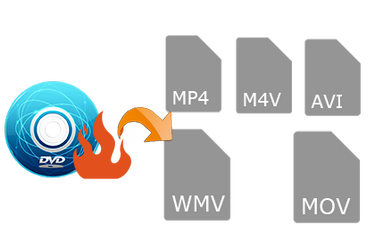
If you want to rip DVD, convert video, and remove DRM protection, please click here to check the product comparisons, and find out the most suitable software you need.
Input File Formats Supported:
| Video | Windows Media (AVI, WMV, ASF, DVR-MS, MS-DVR) MOV/MP4 File (MOV, MP4, 3GP, 3G2, M4V, QT, 3GP2, 3GPP, MPEG4) Real Media (RM, RMVB, RV) Rash Video (FLV, F4V) Matroska Video (MKV, WEBM) AviSynth Scripts (AVS) High Definitiion Video (M2TS, MTS, TOD) MPEG-1 Video (M1V, MPE, MPG, MPV, DAT, MPEG, MPEG1) MPEG-2 Video (M2V, MPE, MPG, MPV, VOB, MPEG, MPEG2, M2P, MOD) MPEG Transport Stream Video (TS, TP, M2T, TRP) Divx Video (DIVX) OGG Media (OGM, OGV, OGG) DVD-VR Video (VRO) Nullsoft Stream Video (NSV) IOS Image (ISO) Other Video Formats: DV, AMS |
| Audio | MP3 (MP3), WAV (WAV), WMA (WMA), Flac (FLAC), AC3 (AC3), AAC (AAC), M4A (M4A, M4R), OGG (OGG), AMR (AMR) Other Audio Formats: AU, AIF, AIFF, AIFC, ADTS, ALAW, AMR, APC, APE, CAF, DTS, GSD, GSM, MKA, MLP, MMF, MP1, MP2, MPEG3, MPC, MP+, M2A, NUT, OMA, QCP, RA, RR and more. |
Output Audio Formats Supported:
| Apple Products | MP3 Audio (*.mp3), AIFF Audio (*.aiff), APPLE Loseless Audio (*.m4a), MPEG-4 Audio (*.m4a) |
| Sony Products | MP3 Audio (*.mp3), MPEG-4 Audio (*.m4a), WMA Audio (*.wma) |
| Microsoft Products | MP3 Audio (*.mp3), MPEG-4 Audio (*.m4a), WAVE Audio (*.wav), WMA Audio (*.wma) |
| Mobile Phone | MP3 Audio(*.mp3), WMA Audio(*.wma) |
| Lossless Formats | Monkey's Audio(*.ape), Free Lossless Audio(*.flac), WAVE Audio(*.wav) |
| Common Formats | MP2 Audio (*.mp2), MP3 Audio (*.mp3), OGG Vorbis Audio (*.ogg), AAC Audio (*.aac), AC3 Audio (*.ac3), AIFF Audio (*.aiff), Apple Losseless Audio (*m4a), Monkey's Audio (*ape), SUN AU Audio (*au), Digital Surround Audio (*dts), Free Lossless Audio (*flac), MPEG-4 Audio (*m4a), WAVE Audio (*wav) |
System Requirements:
| OS | Microsoft® Windows XP, Windows Vista, Windows 7, Win 8 |
| Processor | 1GHz Intel/AMD processor or above |
| RAM | 256MB RAM (512MB or above recommended) |
| Free Hard Disk | 100MB space for installation |
Recommend
"i would recommend this converter to anyone looking for a simple yet very fuctional audio converter. well done!"
-- BulldogRanger
Audio Converter
PC & Mac Freeware
Windows Software
- Any Video Converter Ultimate
- Any DVD Converter
- Any Video Converter Pro.
- Any DVD Cloner Platinum
- Any Video Editor Pro.
- Any DVD Cloner Pro.
- Any DVD Converter for iPod
- Any DVD Converter for PSP
- Any DVD Converter for Zune
- Any DVD Converter for 3GP
- NoteBurner DRM Music Converter
- NoteCable DRM Music Recorder
- M4V Converter for Winodws
Mac Software
Related Products